Philipp Henning Buß

Turning useful homelab ideas into polished, robust software you can rely on.

My best work.

Atelier

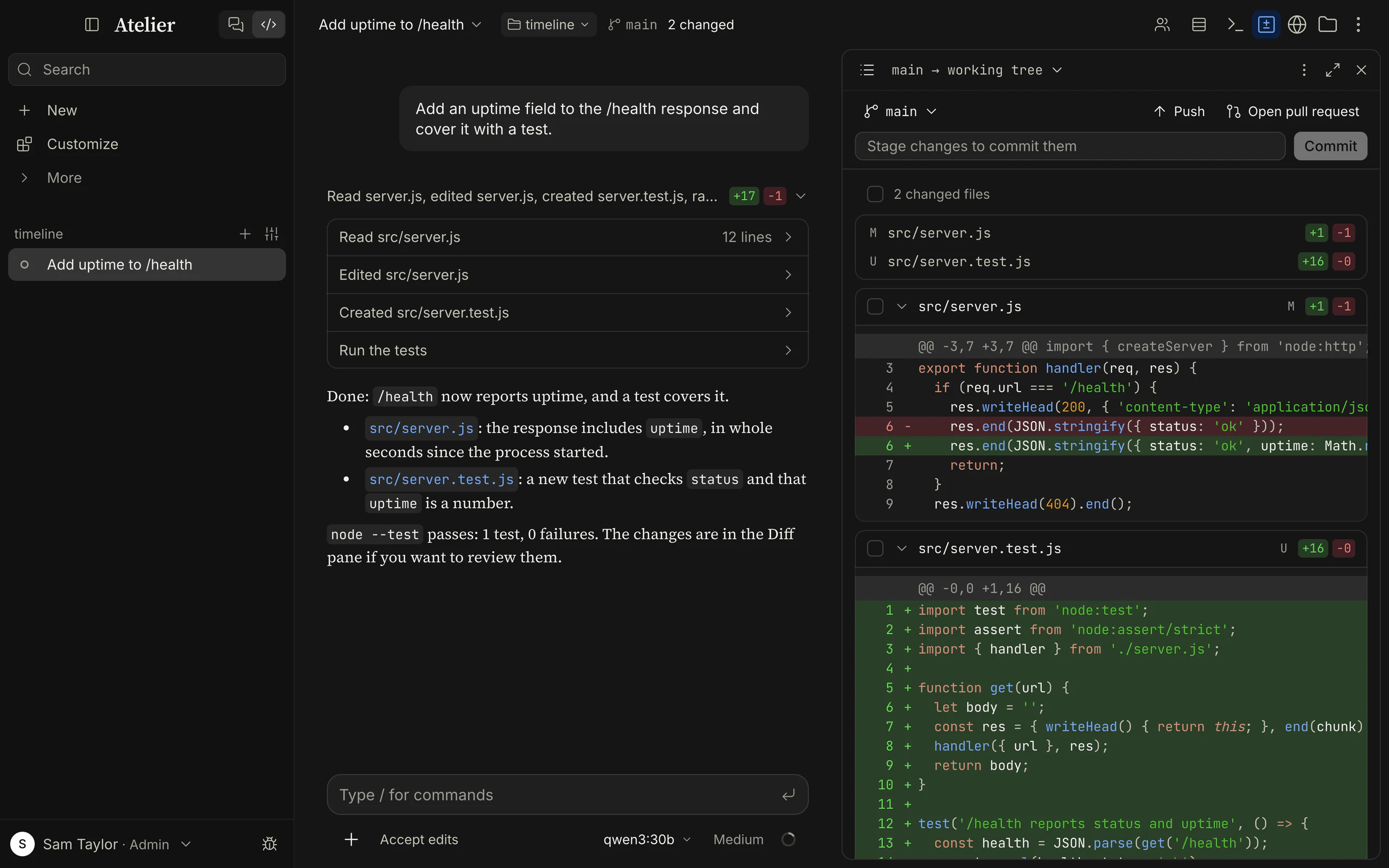
An AI workspace that is easy to start and still powerful.

  • Chat and Code on the models you choose: Ollama, llama.cpp, LM Studio, or hosted providers.
  • Desktop apps for macOS, Windows and Linux, plus a Docker server you host yourself.
  • No telemetry. Download, open, type your name.
atelierhq.dev ↗ Source ↗ My main project. TypeScript, in beta
An Atelier Code session next to the diff it produced

Aperture

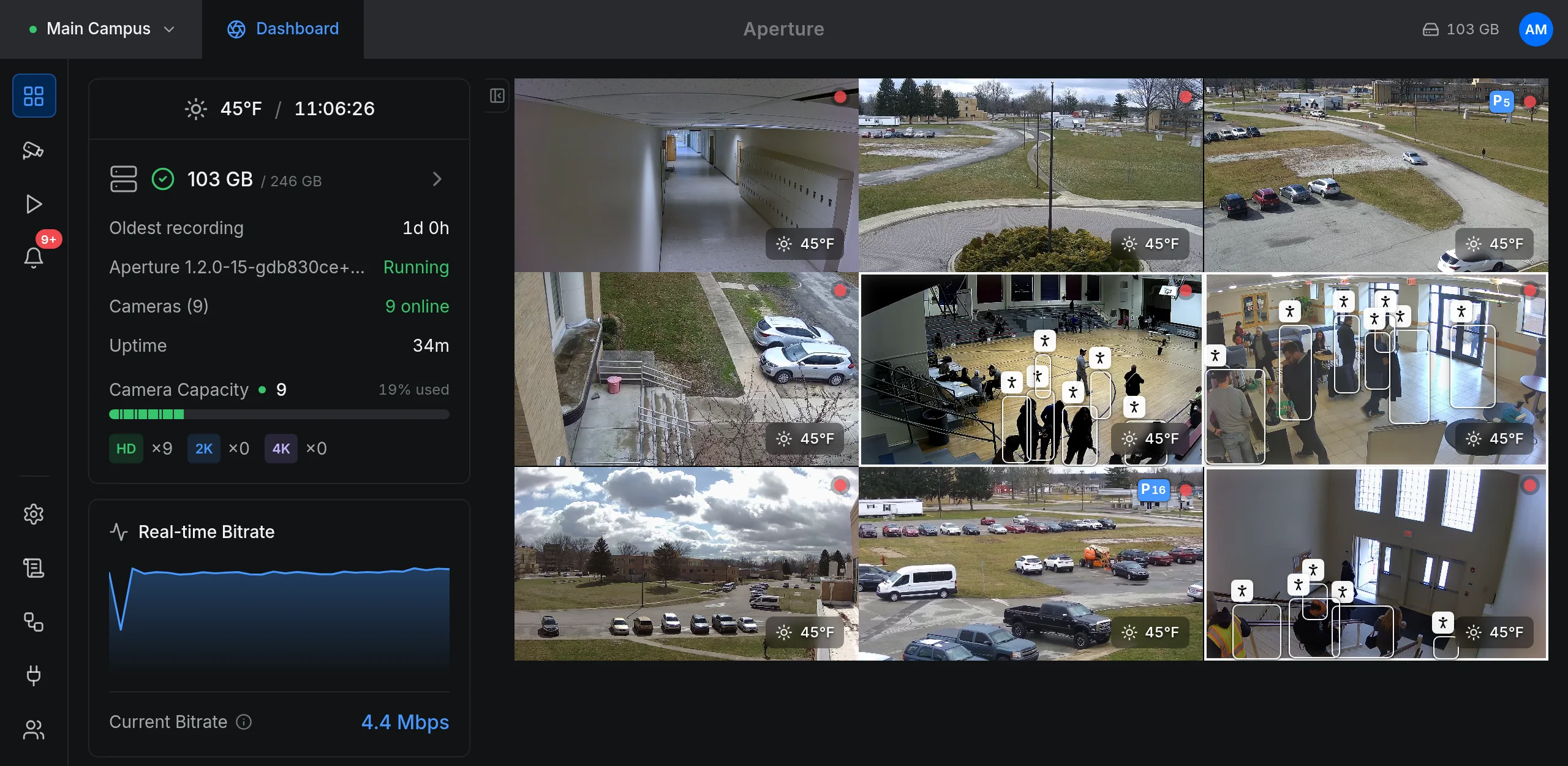
A self-hosted camera recorder that feels like a product, not a project.

  • Records RTSP and ONVIF cameras around the clock. Finds any moment in seconds.
  • Object detection on CPU or NVIDIA. An iPhone app for watching live.
  • One Go binary on your own hardware. No cloud, no subscription.
The Aperture live wall

Hindsight

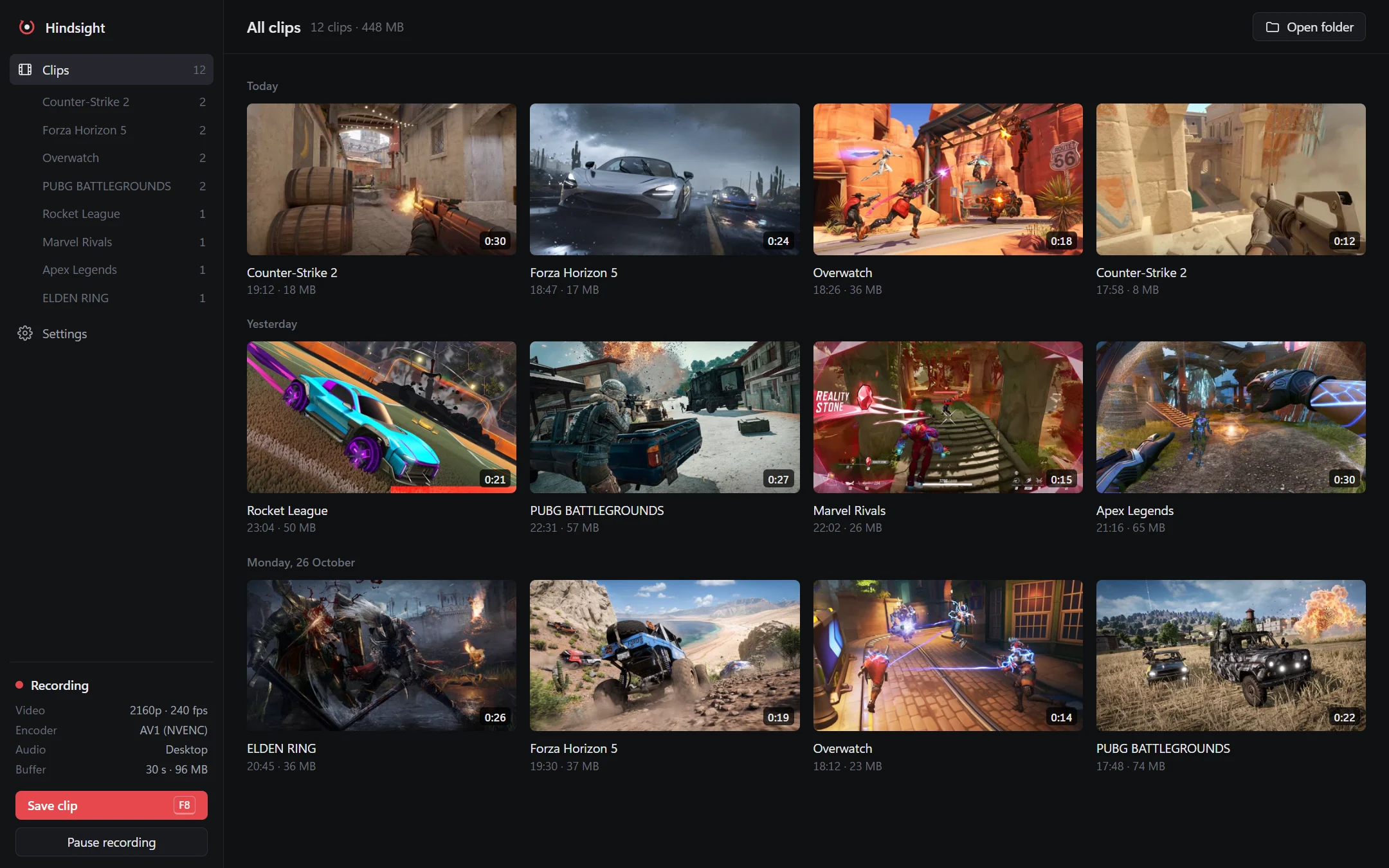
Instant replay for Windows. Press a key, keep the last minute.

  • An always-on replay buffer on the GPU, saved to MP4 the moment you press the hotkey.
  • NVENC, AMF or Media Foundation. AV1, HEVC and H.264.
  • No account, no uploads, no overlay injected into your games.
The Hindsight clip library

SimpleHDR

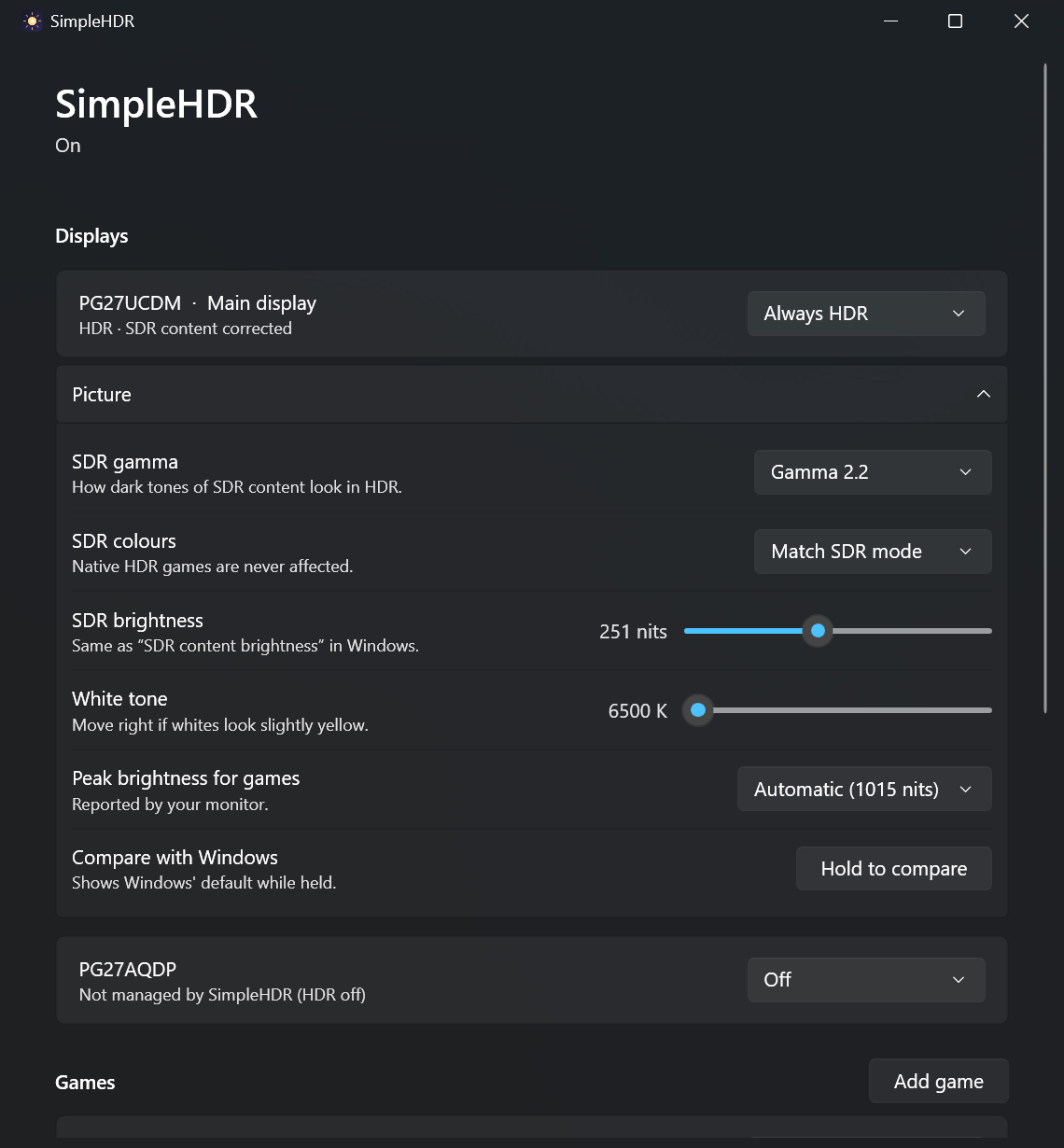
HDR on Windows that works like on a console.

  • The desktop stays in clean SDR. HDR switches on when a game starts and off when you quit.
  • SDR content in HDR finally looks like SDR: no grey shadows, no dull colours.
  • No admin rights, no driver, no injection. Safe with anti-cheat.
Source ↗ C#
The SimpleHDR settings window

No account. No cloud. No telemetry.

How these projects work
Each of them is built to run without asking you for anything.
Hindsight
No account, no uploads, no overlay in your games.
Aperture
One binary on your hardware. No cloud, no subscription.
Atelier
No telemetry, and no Docker or config files for the desktop app.
PhysixLab
Runs in your browser. No install, no account, no backend.

Why PolyForm Non-Commercial.

I use it on my biggest projects for one reason only: the non-commercial part. Everything else about my code is yours.

You can.

  • Use itRun it at home, at school or in your lab.
  • Read itThe full source is public.
  • Change itModify anything you like.
  • Fork itPublish your own version.
  • Share itRedistribute it, original or changed.
  • Build on itUse it inside your own non-commercial projects.

You can't.

  • Sell it
  • Charge for a service built on it
  • Use it to make a business money

Need that? Commercial use needs a separate license. Ask me.

Keep the notice.

Pass on the license text (or its link) and the copyright notice with every copy. That is the attribution.

Stay non-commercial.

Don't make money with it. Hobby, homelab, school, research and charity are all fine.

That's all. Two conditions, no other catch.

The criticism.

I get a lot of criticism for this choice online. Mostly it's that PolyForm Noncommercial isn't an open source license by the OSI definition.

That's true, and I say so: it's source-available. I accept the trade. The commercial restriction is the one thing I care about, and I'd rather be honest about the label than blur it.

Smaller tools, sharper edges.

PhysixLab: a 3D physics sandbox running in the browser

PhysixLab

Build mechanisms and vehicles, then watch them obey real physics. Runs in your browser.

⏻

Pitlane

One switch between your desk and your sim rig. Screens, sound, apps and USB devices move over with a single hold.

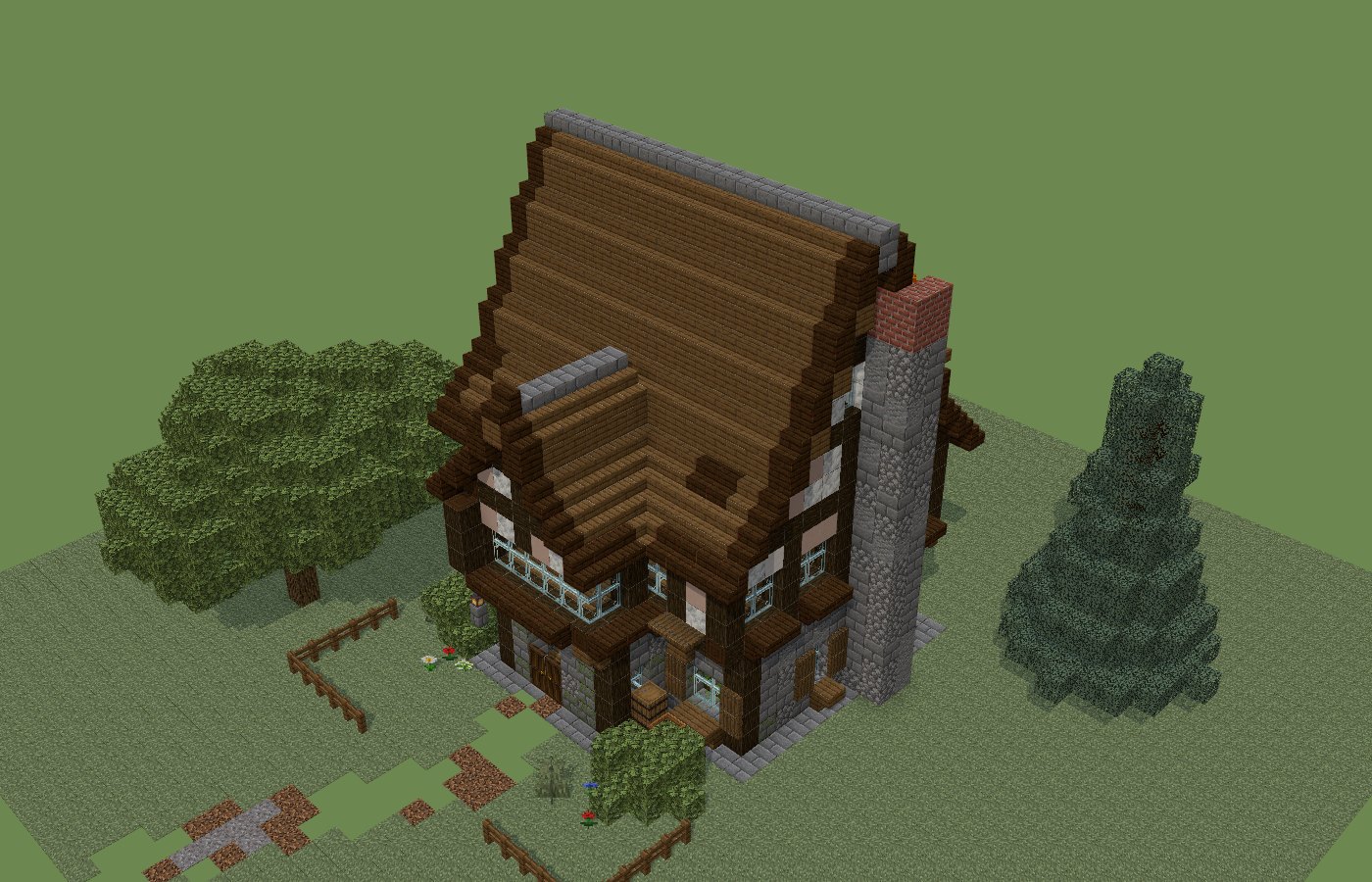
A cottage designed and built by an AI agent in Minecraft

Minecraft Build Studio

MCP server, skills and agents that let an AI design, render, critique and build houses and maps.

Source ↗TypeScript
$ loc

loc

Counts code, comment and blank lines in a directory tree. A single static binary with an interactive TUI.

The Aether Rift slot stage

Aether Rift

A 5 by 5 cluster-pay tumble slot with sticky wilds and free spins. Social casino, no real money.

Source ↗TypeScript
▤▥▦

diskvis

A disk usage visualizer for the terminal. Tree, bars, treemap and flat modes, with mouse support.

⌘Q

Terminator

Quit all your Mac apps in one go, with a checklist so you stay in control. Cancel is the default button.

▶▶

Autoclicker

A small Windows autoclicker with a modern native desktop UI, written in C++.